
Gitea & Forgejo iOS app
for iPhone & iPad.
The native mobile client for Gitea and Forgejo on iPhone and iPad — connect your self-hosted instance or Codeberg, or explore the built-in Demo with sample repos, issues, pull requests, and Actions. Repos, notifications, and CI, in SwiftUI.

Requires iOS 26+. Use a Gitea or Forgejo server, or try Demo with no account. Setup guide

Working copies on your device, an iPad code browser, and native Mermaid
- Working copies — keep a repository on your iPhone or iPad, edit locally, sync and push, resolve conflicts, link a folder from Files, and commit with one tap to open a pull request.
- iPad — layouts built for iPad: resizable columns, a tabbed dock, and a code browser with tabs, Quick Open, landscape editing, and a file tree beside the file you have open.
- Markdown — Mermaid diagrams in READMEs, issues, pull requests, and wiki pages render in the app, with tappable links, callouts, and faster loading on large documents.
- Account and server — SSH connections and keys, OAuth2 applications you manage, avatars for you, organizations, and repositories, and push mirror sync; organization teams, webhooks on one screen, and more admin tools when your account can reach them.
- Pull requests and stacks — a merge-train view with checks and reviews at a glance, merge the next pull request with a tap, and conversation layouts tuned for iPhone Duo and iPad.
Fixes
- Working copies: when push is rejected, choose pull, compare, or overwrite; undo on a conflict choice puts the conflict back.
- Markdown: links to your own server stay in the app instead of opening Safari.
- Files: line numbers stay aligned with the text while you edit a file.
- Actions: runs still in progress, and runs with skipped steps, show every step’s log again.
- Languages: more of the app in Spanish, French, and Chinese.
Everything on your server, always at hand
Personalized feed of your repos, open pull requests, and active issues — everything in one glance.
Your server inbox, delivered natively. Never miss a review request or mention on Gitea or Forgejo.
Browse organizations and their repositories. Discover what's happening across your server.
Repo detail, branches, commits, file tree, pull requests, and issues — the full picture.
Follow live Gitea and Forgejo Actions runs, stream job logs, and download artifacts — without a browser.
Pull requests, Actions, and notifications on Gitea & Forgejo
-
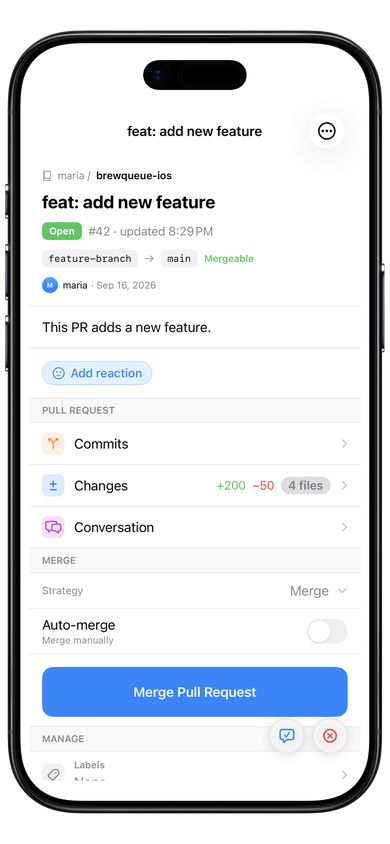
Pull requests — review diffs and threads on Gitea, Forgejo, or Codeberg.
-
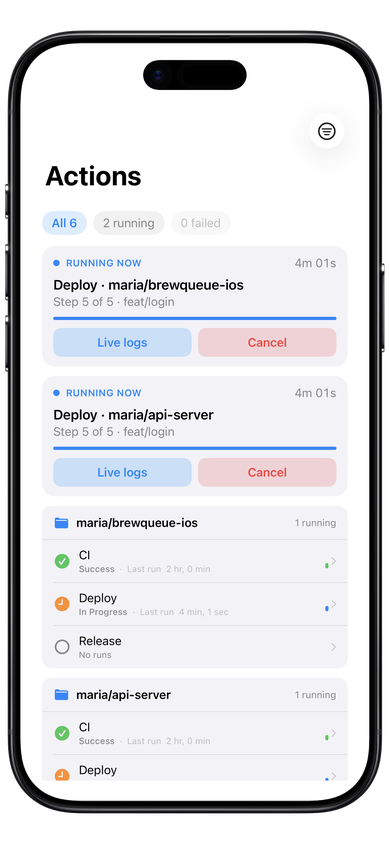
Actions — follow workflow runs and read job logs without a browser.
-
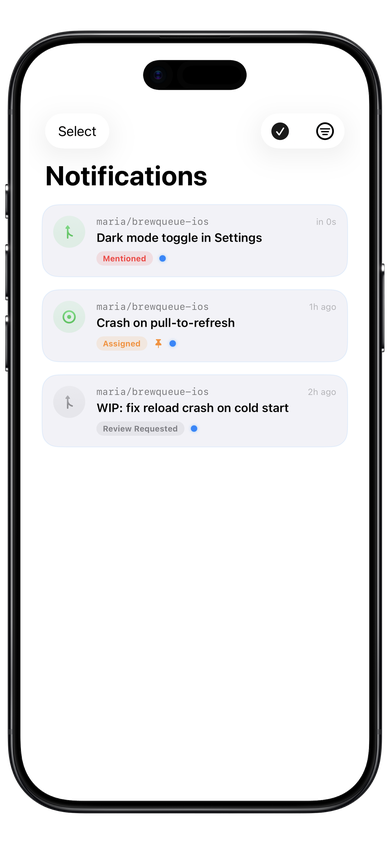
Notifications — your server inbox, native on iPhone and iPad.


Open in GitBoba from Gitea or Forgejo
Add gitboba:// links on your Gitea or Forgejo instance so teammates jump from the browser into the native app — repos, pull requests, issues, and Actions. Share-sheet support opens instance URLs from Safari without building links by hand.
Zero data collected.
Ever.
GitBoba is a client — nothing more. It connects your device directly to your server, with no middlemen and no telemetry.
Keychain-secured credentials
Your server URL and API token live exclusively in the iOS Keychain — hardware-backed, sandboxed, and never transmitted anywhere.
Direct connection only
Every network request goes straight from your device to your Gitea or Forgejo instance. No proxy, no relay, no developer-operated servers in between.
No analytics or tracking
Zero analytics SDKs, crash reporters, or ad frameworks. What you do in the app stays entirely on your device.
Get GitBoba free
Available now on the App Store for iPhone and iPad.
 Scan with your iPhone camera
Free to download
Requires iOS 26 or later
Compatible with iPhone and iPad
Gitea or Forgejo server — or Demo mode with no account
Optional Supporter purchase — not required for your server’s features
Found a bug?
Open a GitHub issue — include your iOS version, server type (Gitea or Forgejo), server version, and steps to reproduce. I'll take a look.
Open an Issue on GitHub